
mRecall
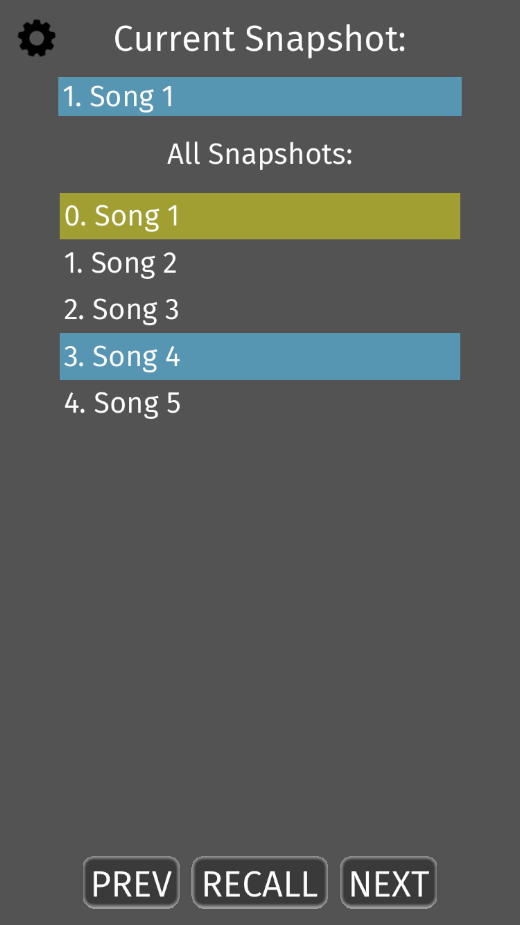
Waves mRecall Scene & Snapshot Recall AppMobile App for Waves Live Sound & Commercial Audio Systems mRecall allows you to quickly recall scenes and snapshots in Waves live sound and Commercial Audio systems, over wi-fi.
• Quick scene & snapshot recall app• Compatible with Waves eMotion LV1, SuperRack, and Commercial Audio systems• Easy-to-use mobile interface• Commercial Audio installers: Enable your clients to remotely recall specific audio setups in multipurpose AV installations• Live sound engineers: Recall eMotion LV1 or SuperRack snapshots remotely, or give musicians remote control over specific aspects of the FOH mix Please note: mRecall does not process or route audio on its own; it requires the Waves eMotion LV1 mixer, the Waves SuperRack plugin host, or a Waves Commercial Audio system (such as CA1000 or CA2000) in order to fully function.
It does not pass audio through the mobile device.
• Quick scene & snapshot recall app• Compatible with Waves eMotion LV1, SuperRack, and Commercial Audio systems• Easy-to-use mobile interface• Commercial Audio installers: Enable your clients to remotely recall specific audio setups in multipurpose AV installations• Live sound engineers: Recall eMotion LV1 or SuperRack snapshots remotely, or give musicians remote control over specific aspects of the FOH mix Please note: mRecall does not process or route audio on its own; it requires the Waves eMotion LV1 mixer, the Waves SuperRack plugin host, or a Waves Commercial Audio system (such as CA1000 or CA2000) in order to fully function.
It does not pass audio through the mobile device.
Features
🎵
Music Features
Enjoy high-quality music streaming and playback features.
🏠
Smart Home
Control and monitor your home with smart features.
⚡
Lightning Fast
Experience blazing fast performance with our optimized Android application.
Screenshots
See mRecall in Action


Get the App Today

Available for Android 8.0 and above
Ask AI about this app
Get instant answers about features, tips and more from popular AI assistants.